
Your menu, ready to order from your own site.
Bring your menu over from Uber Eats, Deliveroo or a PDF. Pick one of three ordering designs and take delivery and collection orders, paid online. Customers track every order live, with no account needed.
- Import from Uber Eats & Deliveroo
- Card, Apple Pay, Google Pay
- Live order tracking
Trusted by 100+
of clients.


From your menu to their door in four steps.
- 1Choose delivery or collectionEach option appears only when you've switched it on. Orders from the table QR run through the same app.
- 2Browse, filter and customiseBest sellers and "Order it again" up top. Filters for veg, deals, price, calories and allergens, with options and kitchen notes on every dish.
- 3Check out their wayASAP or a slot today or tomorrow. The delivery zone and minimum order are checked before payment, with tips, coupons and gift cards built in.
- 4Pay and track liveCard, Apple Pay or Google Pay. Then a four-step tracker, opened by order reference with no login.

One menu, three ordering designs.
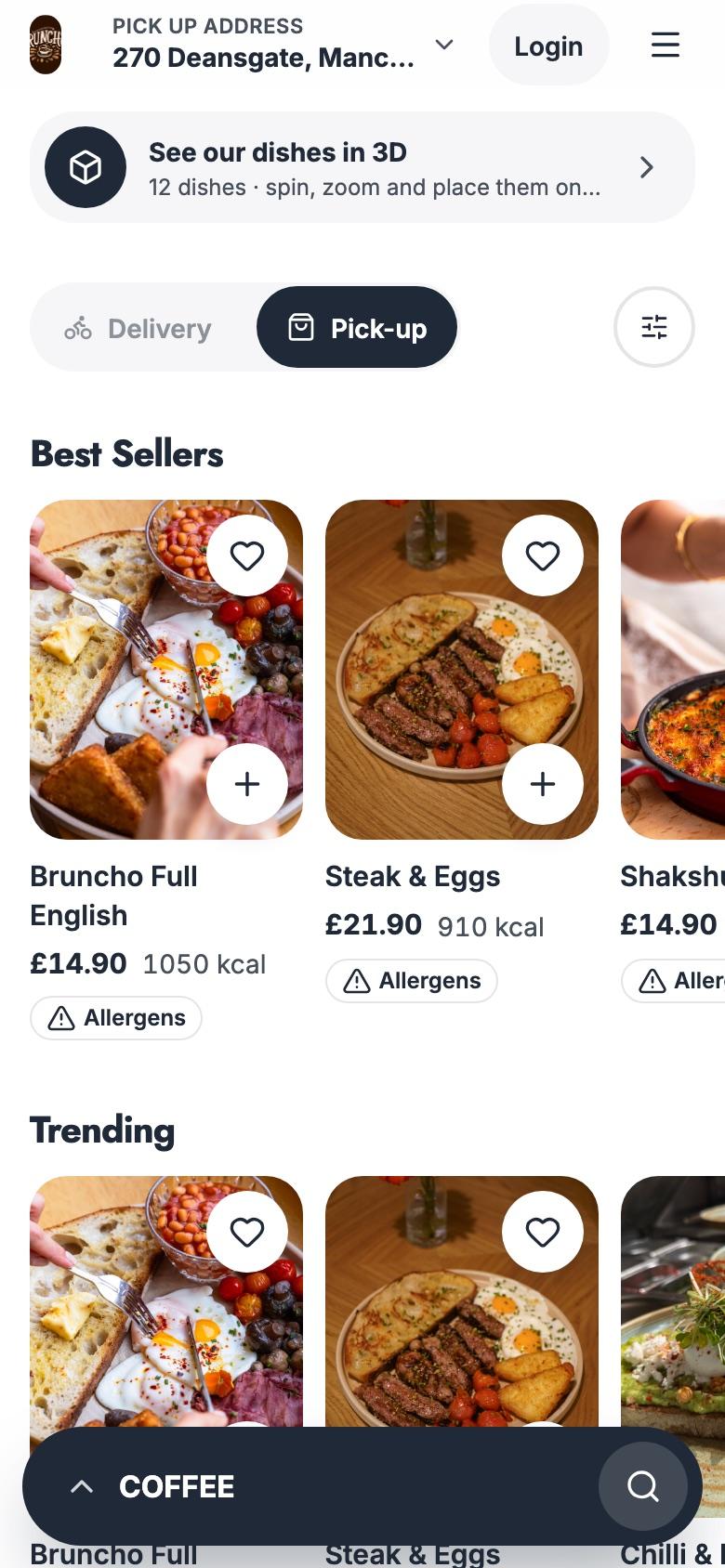
Switch between Original, Fresh and Glide. Same dishes, same prices, three ways to order. Tap + to fill the basket.
Big dish photos, a bottom bar for categories, search and basket, one-tap add and a full-screen dish page you can swipe.
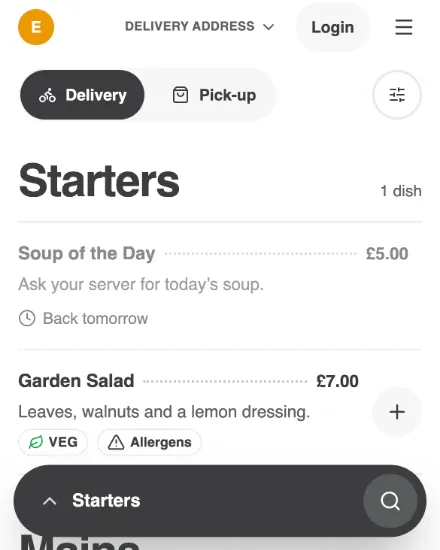
Your colours and fonts carry across all three designs, and you can switch designs any time from your dashboard.
Demo · nothing is sent
Every order on one board.
See what's coming in, what's cooking and what's ready. Slow things down on a busy night, set your own zone and fees, and keep every receipt.
- 1Live boardIncoming, Preparing and Ready, refreshed every 30 seconds. Search by name, order ID, phone or email.
- 2Busy ModeSlow things down on a busy night, or switch delivery or collection off, from one drawer.
- 3Your zone, your feesDelivery radius, minimum order, fees by distance, and service charge or VAT with a note for customers.
- 4Reports and receiptsOrder history with full or partial refunds, sales reports in Excel, and receipt printers over ethernet or USB.
Built for the way people order.
- Delivery and collectionTurn each mode on or off. Orders from the table QR use the same app and the same menu.
- Filters that matterVeg only, deals, price, calories and allergens, plus nine ways to sort the menu.
- Allergens on every dishAn allergen grid with icons, calories, prep time and veg or vegan badges.
- Options and kitchen notesRequired choices, add-ons with quantities, default selections and a note for the kitchen.
- Order aheadASAP or a time slot today or tomorrow, based on your delivery and collection windows.
- Zones and minimumsYour delivery radius and minimum order are checked before the customer pays.
- Deals and couponsBuy 1 Get 1 Free, coupon codes, automatic discounts and "Auto apply best coupon".
- Gift cards and tipsGift cards work at checkout, including part-payments, and customers can tip your drivers.
- Live order trackingA four-step tracker with delay updates, opened by order reference with no login.
Move your menu across without retyping it.
Paste your Uber Eats, Deliveroo, Swiggy or Zomato link, or upload a PDF or photos of your menu. Review the draft, publish it, and undo the import if you change your mind.
- Links from Uber Eats, Deliveroo, Swiggy and Zomato
- PDF, JPG, PNG or WEBP files, up to 10 at a time
- Review every dish before it goes live
- Undo an import and your previous menu comes back
One guest, one journey, four products.
Guests book a table, scan the table QR to see dishes in 3D, order and pay, then send a friend a gift card. Every step runs on olivv, so each one leads to the next.
- 1 / 4Book a tableFrom your website or Instagram, in a few taps.Table Booking
- 2 / 4See it in 3DScan the table QR and spin each dish before ordering.AR Menu
- 3 / 4Order and payAdd dishes straight from the 3D view, or order for delivery and collection.You're here
- 4 / 4Gift a friendA gift card they can spend online or in the restaurant.Gift Cards
Questions, answered.
Can I bring my menu from Uber Eats or Deliveroo?
Yes. Paste the link, or upload a PDF or photos of your menu. You review the draft before it goes live, and you can undo the import.
Who delivers the orders?
Your own team. You set the delivery radius, the minimum order and the fee for each distance band.
How do customers pay?
By card online, with Apple Pay and Google Pay available depending on your payment setup. Gift cards work at checkout too, including part-payments.
Can customers order ahead?
Yes. They choose ASAP or a time slot today or tomorrow, based on the delivery and collection windows you set.
Do customers need an account?
No. Guest checkout works, and every order can be tracked by its reference. An account adds saved addresses, favourites and quick reordering.
Can I pause orders on a busy night?
Yes. Turn on Busy Mode, or switch delivery or collection off, from Order Settings in your dashboard.
Can ordering sit inside my own website?
Yes. Embed it in your site, or link to it from your olivv website. Your colours and fonts carry across all three designs.
Start taking orders on your own site.
Import your menu, pick a design and go live. Customers order straight from you, with your brand on every screen.